Custom web applications for small businesses

From quote
to delivery. No retyping.

When Excel, email and your software don’t talk to each other, your team ends up connecting them by hand. We build the application that links them: every piece of information entered once, visible to everyone.

Your accounting software stays in place

An approved order, in production at the painting stage, before delivery.

Example: a quote approved by the customer, the order tracked through production, a notice sent to the customer, then the order delivered, ready to go into the accounting software.

An order’s journey through a custom application.
  • Information entered only once
  • Your accounting software stays in place
  • You own the code and the data

One order, four steps. One shared file.

Sales, production and your customers all see the same order.

On this page, we follow an order at a railing manufacturer. The same journey works for a distributor, a workshop or a service business.

01 · Sell

Quotes and orders. The customer approves, the order follows.

Your products, their options and your pricing rules live in the application. Nobody starts from a blank file.

The quote, calculated by your rules.

Your team picks the products and quantities; the application applies your prices and options. The customer receives a link, asks for a change or approves.

Quote: 42 metres of black aluminium railings and an exterior staircase, with the price per metre and installation applied automatically.
The work order, filled in by the customer.

After approval, the customer specifies their choices. The shop or the installation crew receives exactly what was confirmed.

Work order: matte black finish, vertical aluminium pickets, installation on the rear balconies, confirmed by the customer and sent to production.

Client result · Furniture manufacturer

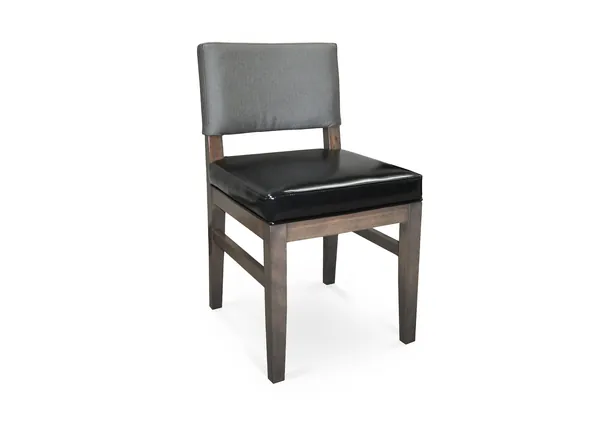
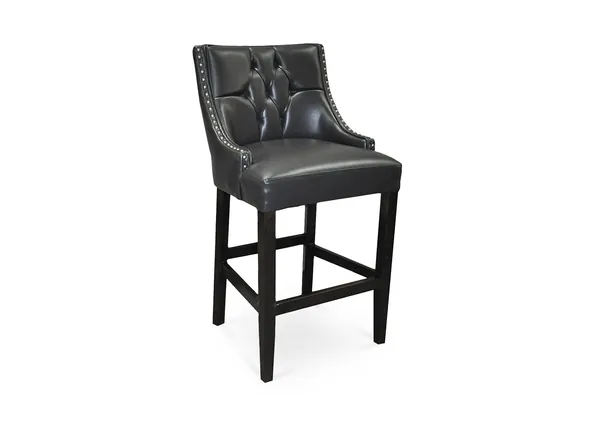
Pavar, restaurant furniture. Every proposal starts from the catalogue.

Pavar makes chairs and banquettes for restaurants across North America, with hundreds of possible choices. For several years, its team has used the application we built, connected to its products and their options.

Beforehours.

Nowa few minutes.

to prepare a proposal, starting from the products already in the application.

An order of magnitude, not a timed measurement.

Example: a proposal approved by the customer, built from Pavar’s catalogue, with its products and finish choices.

Preparing a proposal used to mean working in Excel. Now our products, the client’s choices and the details of their order all live in the application. We save time, and we move forward with far less risk of error.

Maria IermieriVP Sales and Marketing and Co-owner, Pavar
Read the Pavar case study

Still putting proposals together by hand? Bring an example to our first conversation.

Let’s talk about your proposals

02 · Produce

Production tracking: every order in its place.

Every order has an owner, a status and a next step. No more asking where it stands: the screen tells you.

Tracking example: drawing, cutting and welding are done, painting is in progress, and the quality check, delivery and installation come next.

  • Work orders
  • Owners
  • Team alerts

When a customer calls, whoever answers sees the same order as production. Tracking no longer depends on a few people’s memory.

03 · Inform

Client portal: your customers stay in the loop.

They see where their order stands, send their documents and confirm their choices in one place.

Fewer calls asking for an update, fewer attachments lost in email. Every exchange stays attached to the right file, with all its context.

  1. Where the order stands
  2. The customer’s documents
  3. What’s left for them to do

Client portal example: the railings are in the paint shop, the quality check and delivery come next, the drawing is approved and the balcony photos received, and the customer can confirm the delivery date or message the team.

04 · Deliver

The order closes with the signed receipt, then moves on to the software you keep.

Your application

QuotesProductionClient portal

  • Accounting softwareDelivered ordersExport
  • CRMCustomers and historyLink
  • EmailNotices and remindersSending
  • WebsiteProducts and optionsImport

Your accounting stays put.

Invoicing stays in your accounting software. The delivered order goes there by export or connection, depending on what it allows. Nobody retypes it.

Order C-4127 is delivered, the receipt is signed with photos, and the order is ready to go into your accounting software.

AI, where it takes a real task off your plate.

Reading a delivery receipt, summarizing a file, drafting a reply. Your team approves what needs approving.

AI

Signed delivery receipt, received as a photo

Customer
Habitations Côté
Signed by
Karine Côté
Exceptions
None

The project

Your custom application, built with the people who will use it.

about 8weeks

for a first usable version. It then evolves with your priorities.

Your application belongs to you. Once it is paid for, its code, its data and its access are yours, with or without us.

  1. Understand the work

    Your files, your tools, your real jobs.

  2. Design the first version

    Screens and connections, agreed with you.

  3. Build and test

    Tried by your users, then adjusted.

  4. Launch and support

    Data migrated, team trained.

We scope the project with you. The team builds it under Jihed’s lead and supports yours after launch.

François Painchaud and Mohamed Jihed Khikhia, Kasvu’s leaders, at work
François Painchaud, Founder and President, and Mohamed Jihed Khikhia, Partner and Chief Operating Officer.

Is this the right time?

A custom application will save you time if:

  • your quotes live in Excel;
  • customers call to find out where their order stands;
  • the same information is retyped from one tool to the next.

If existing software does the job, we will tell you.

FAQ

Frequently asked questions: price, software and ownership.

How much does a custom application cost?

The price depends on the number of screens, the rules to program and the integrations with your tools. The proposal sets the scope and price of the first version before any work begins. Our guide How much does a custom application cost explains what makes the price vary.

Do we need to replace our current software?

Not necessarily. The application can connect to your CRM, your email or your website, through an API, an import or an export, and handle the steps they don’t cover. Your accounting stays in your accounting software.

Custom or off-the-shelf software: how do you choose?

If your steps look like those of most businesses and you are willing to adapt the way you work, off-the-shelf software will do the job. If the way you sell or manufacture sets you apart, custom is almost always the better choice. The criteria are in our guide custom or off-the-shelf software; for a manufacturer, see also our ERP comparison.

Can you build in artificial intelligence?

Yes, where it cuts down a real task, such as extracting the data from a document you receive. We plan human review where it’s needed and limit its access to the data it actually requires.

Who owns the code and the data?

You do. Once the application is paid for, you can do whatever you want with it, with no licence; Kasvu keeps only its know-how and its generic components. Our guide Who owns the code of your application explains what to require in the contract.

Looking for new customers too? Advertising, SEO and lead tracking, from the same team.

Let’s start with your work

Show us how you work.

Walk François through an Excel file or a step where work gets stuck. You will know what is worth building, and what isn’t. The first conversation comes with no commitment.

François PainchaudFounder and President of Kasvu
What would you like to improve?

We only use your information to reply to you. Privacy policy